Prime For Life App
It is possible to change the font of the Instructor Manual, or e-manual, in the app by clicking ctrl and plus keys together. You can also decrease the font size by clicking ctrl and minus keys together.
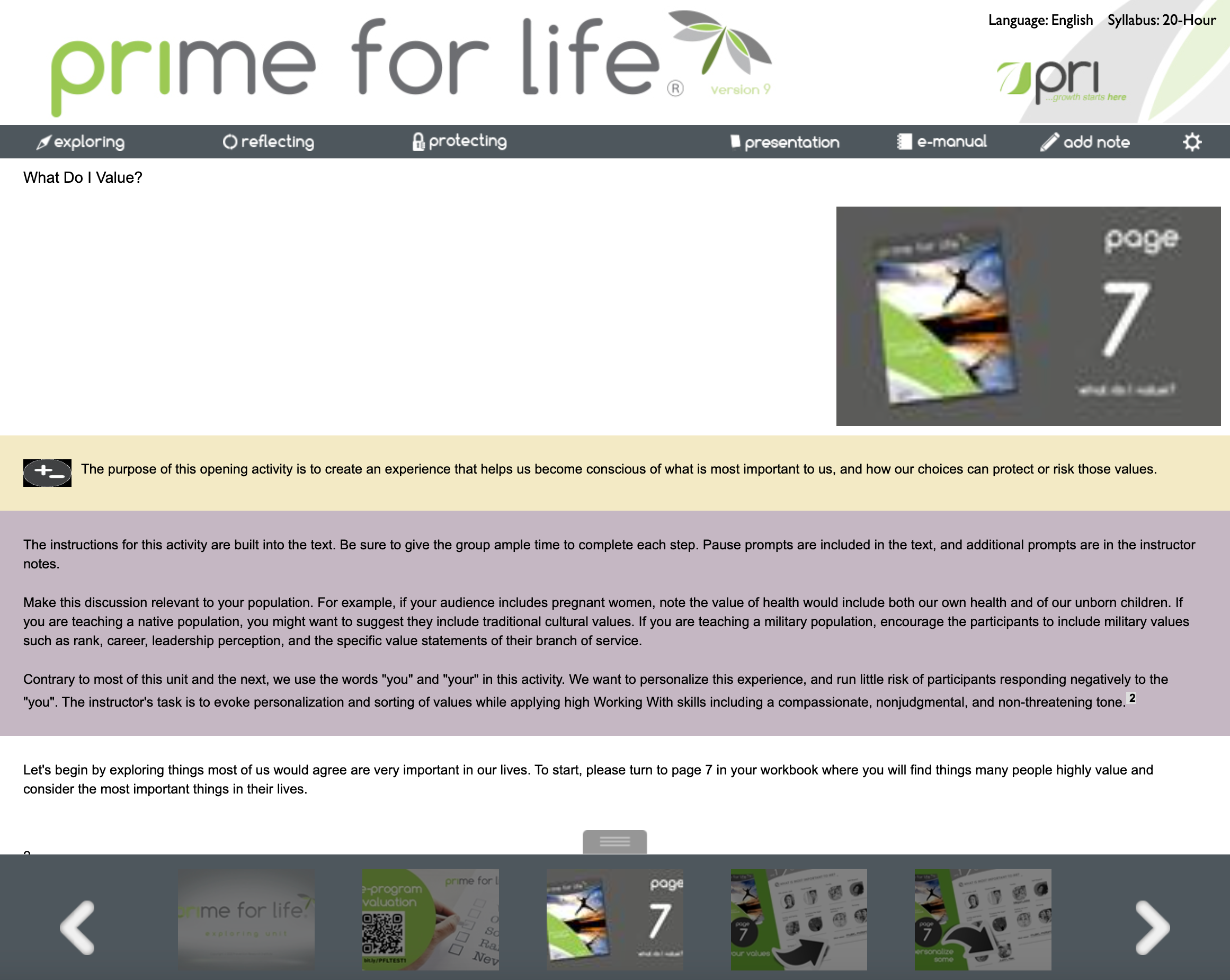
E-manual with default font size
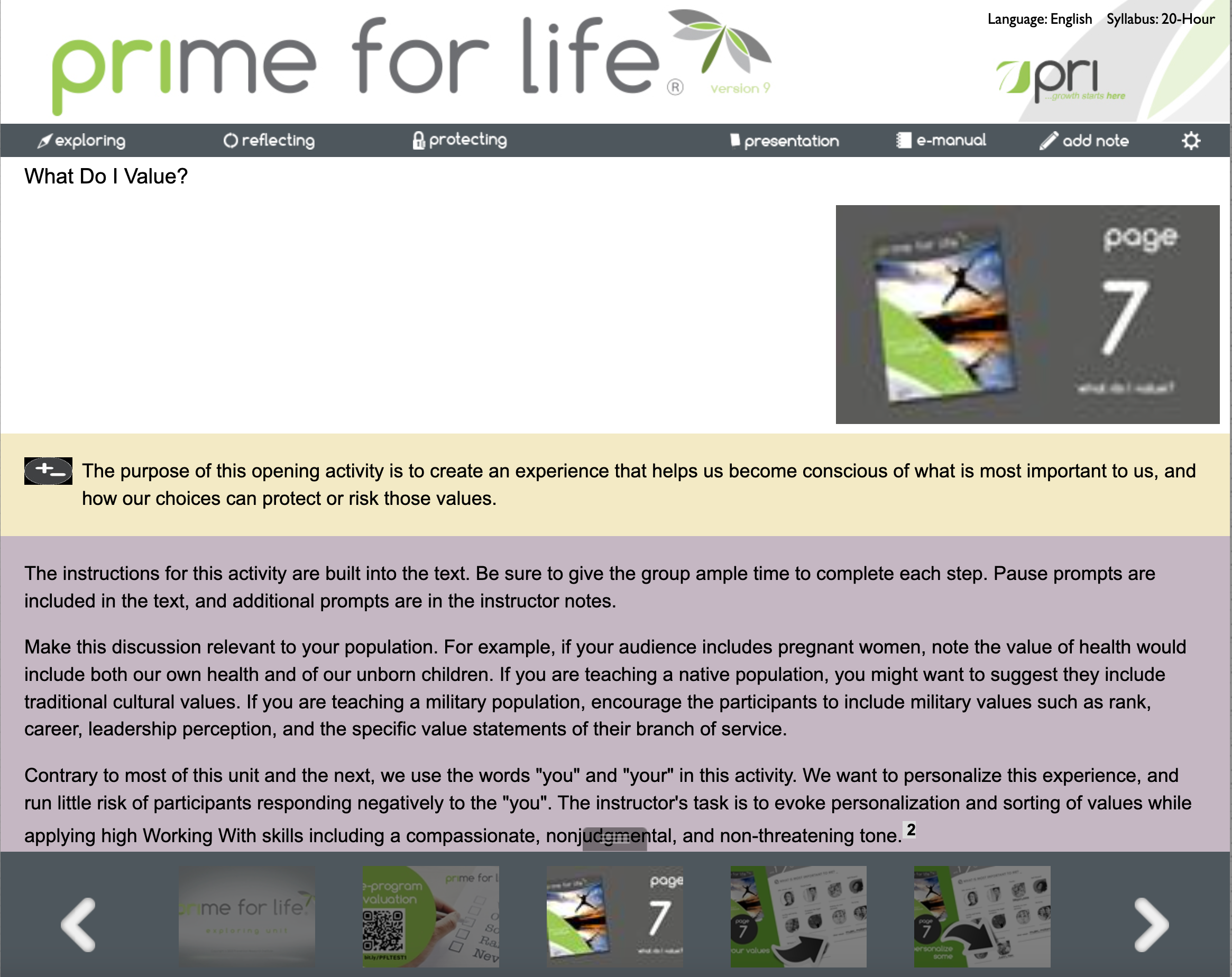
E-manual with font size increased by 6 steps (ctrl-+)
Instructor Manual, or E-Manual, PDF
If this is the e-manual PDF, then you can zoom in on the e-manual you created, or request another e-manual pdf with a larger font - the font size is a configuration option.
Hope this helps! Please let me know if you have any questions.
Please go to the Instructor Dashboard and in the Prime For Life section, click on Delivery Resources. There is a link there, "Request Prime For Life E-Manual PDF".
Here is a direct link:
A window appears with configuration options and one of them is font size. Choose a larger font size.
Agree to terms and submit your request. In a few minutes an email will be sent with a link to the e-manual you requested.
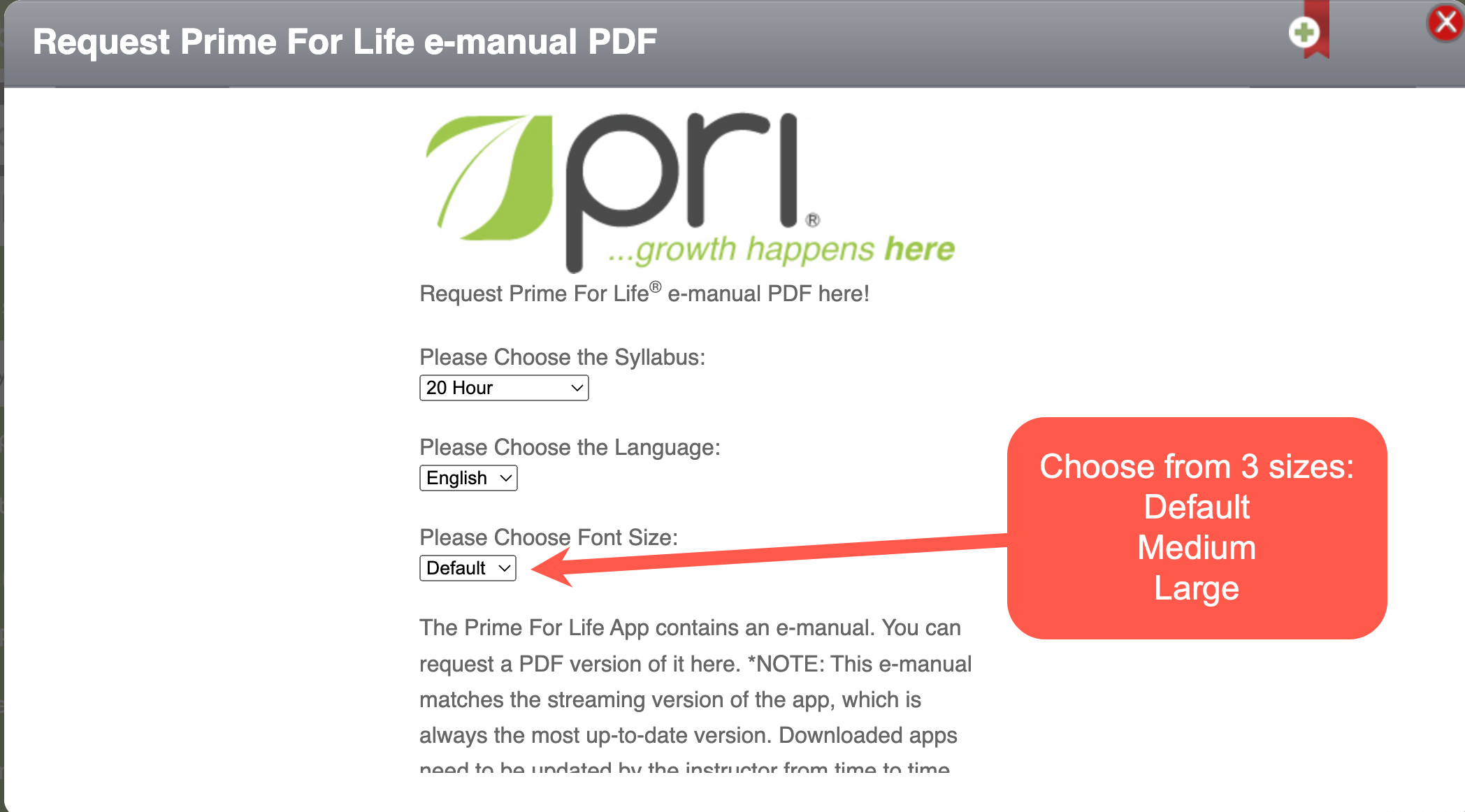
Request Prime For Life e-manual PDF Form with Font Size options
Was this article helpful?
That’s Great!
Thank you for your feedback
Sorry! We couldn't be helpful
Thank you for your feedback
Feedback sent
We appreciate your effort and will try to fix the article