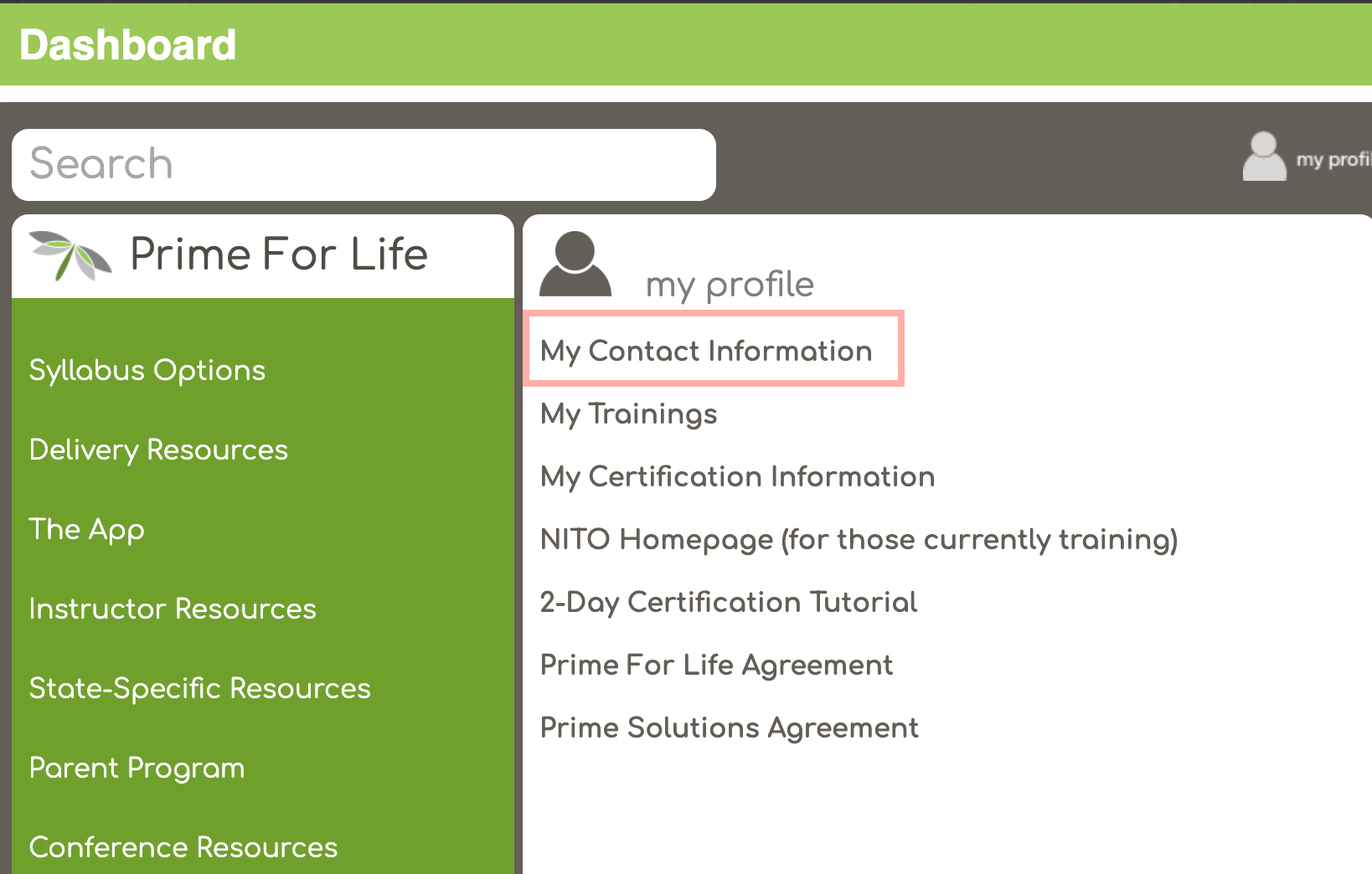
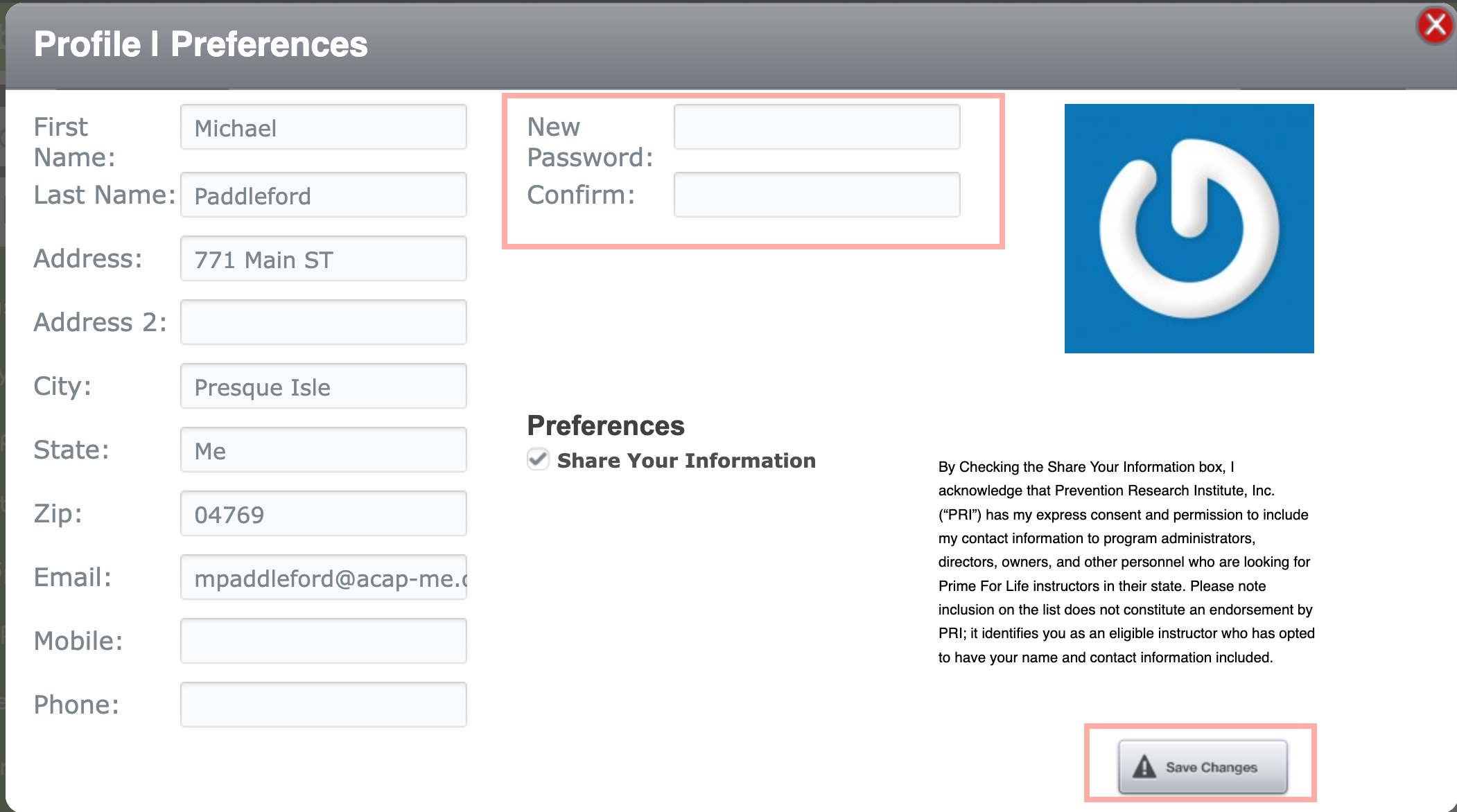
You can change your password by opening the My Contact Infromation from the My Profile section on Instructor Dashboard (top image), then entering your new password in the New Password and Confirm fields, then clicking Save Changes (bottom image).
Was this article helpful?
That’s Great!
Thank you for your feedback
Sorry! We couldn't be helpful
Thank you for your feedback
Feedback sent
We appreciate your effort and will try to fix the article